
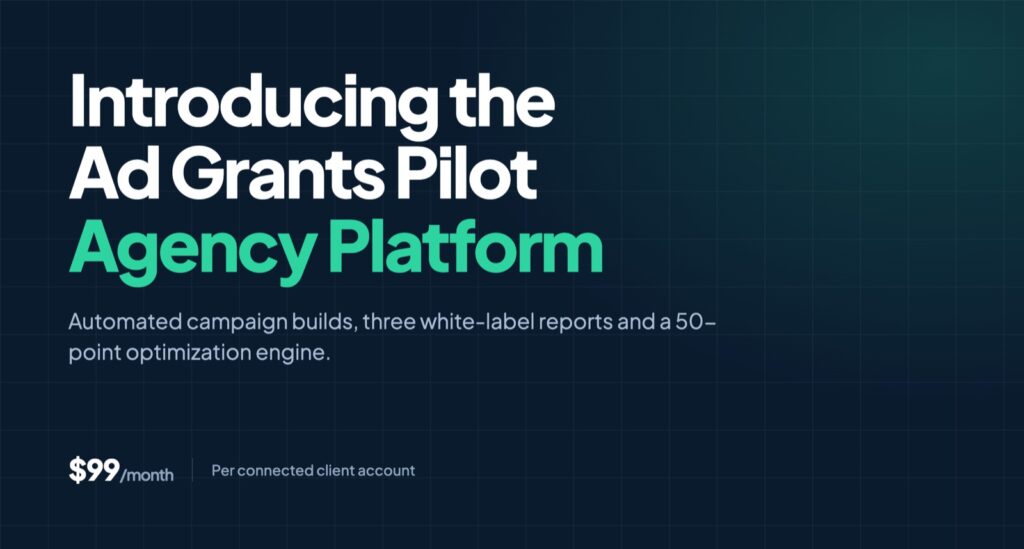
Prefer to watch? Steven walks through the full agency toolset in under two minutes. The written version is below.
Managing Google Ad Grants accounts at scale is a strange kind of work. Each individual account is straightforward. Build a compliant campaign structure, keep the keywords clean, report on it monthly. But the moment you’re doing that for fifteen, thirty, or fifty nonprofits, the straightforward parts become the bottleneck. Campaign builds consume your team’s afternoons. Reporting consumes the end of every month. And the actual strategic work (the reason clients hired you) gets squeezed into whatever’s left.
We built the Ad Grants Pilot agency platform to solve that problem: a full suite of tools to help agency partners scale and automate their Ad Grants management practice. It’s now available at $99/month per connected client account.
Here’s what you can expect.
Automated campaign builds for every connected client
Every client you connect gets access to our Search and Performance Max campaign builders, and both automate the initial build for you.
When a new account connects, Ad Grants Pilot scans the client’s homepage and every linked page, identifies the most important pages on the site, and automatically builds a core search campaign with three to four ad groups, typically Brand, Donations, Learn More, and Advocacy. Those four cover the standard Ad Grants structure that actually performs. A Performance Max campaign gets built at the same time from the homepage, with 15 short headlines, five long headlines, five descriptions, images scraped from the site, and search themes auto-populated on the backend.
None of it is a template. Under the hood, the pipeline scrapes the site content, extracts seed keywords from each page, expands them through SEMrush’s broad match API, validates monthly search volume on every term and drops the low-volume ones, then assembles the 15–20 strongest keywords into each ad group before AI writes all the headlines and descriptions in the client’s voice.
Adding to the build is where the real time savings show up. Creating a new ad group or asset group is as easy as dropping in a landing page URL or a keyword idea:
- By landing page URL. Paste any page from the client’s site. The system scrapes the page, does the keyword research, writes the ad copy, and returns a fully structured ad group optimized for that page. That’s one to two hours of manual work compressed into under a minute.
- By keyword idea. Enter a few related keywords. The system finds the best matching page on the site, expands and validates the keyword list, and builds the ad group around it.
Everything is editable before any ad is published. Keywords, headlines, descriptions, landing pages, all of it. And every campaign starts in Draft until someone clicks Push Live.
Assets built to Ad Grants best practices
The assets tab handles the pieces that are easy to skip and expensive to skip. During onboarding, we auto-build eight account-level sitelinks by scanning the site and writing the titles and descriptions with AI. Callout extensions, call assets, business name and logo fields for Advertiser Verification, all of it is there, and all of it is configured per Ad Grants best practices rather than Google Ads defaults.
Same goes for campaign settings. Daily budget defaults to $329 (the Ad Grants maximum), match type defaults to broad, bidding defaults to Maximize Conversions. Conversion tracking gets configured automatically through Google Tag Manager during onboarding, a 2+ minute session event and a multiple-pages-visited event, plus enhanced conversions via GA4. If you’ve ever inherited an Ad Grants account with no conversion tracking and a $2/day budget, you know why we made these the defaults.
One agency-specific detail worth calling out: user roles. You can add a client or a junior team member as a Campaign Builder, which lets them create campaigns but not push them live. A Publisher or Admin has to approve first. There’s also a read-only Viewer role for clients who want visibility without edit access.
Three white-label reports
For agencies specifically, we built three separate white-label reporting products. This is the part our partners tend to get most excited about, because reporting is where agency hours go to die.
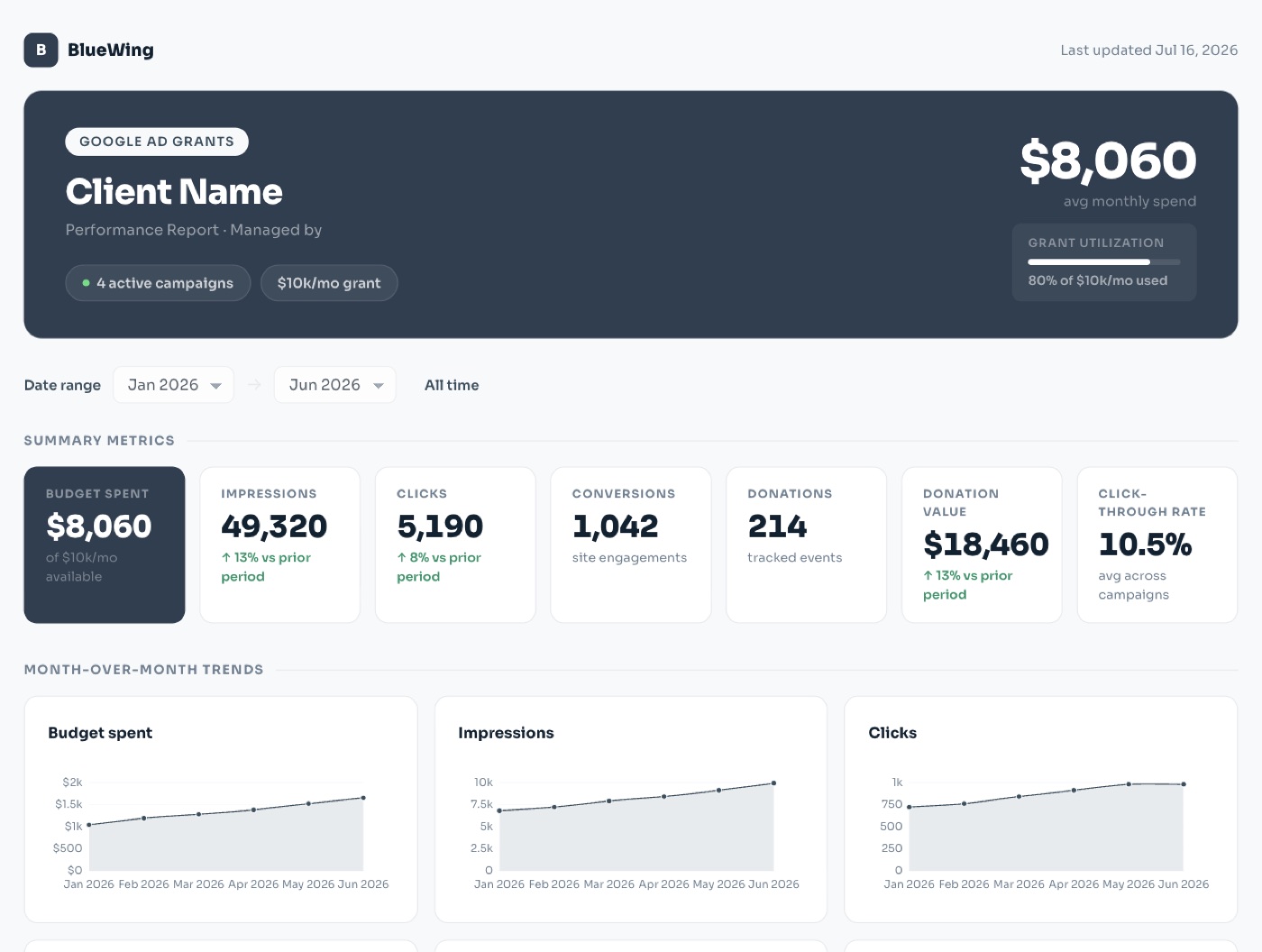
1. The client dashboard
A full-bleed HTML report that lives on your domain, branded to your agency, updated daily. It shows the client’s summary metrics, month-over-month trends, a table with conversion-level breakouts, and (the part clients actually care about) how their Ad Grants performance fits within their broader website traffic in GA4. Instead of a PDF that arrives once a month and is out of date by the time it’s opened, your client gets a live link they can check whenever they want.
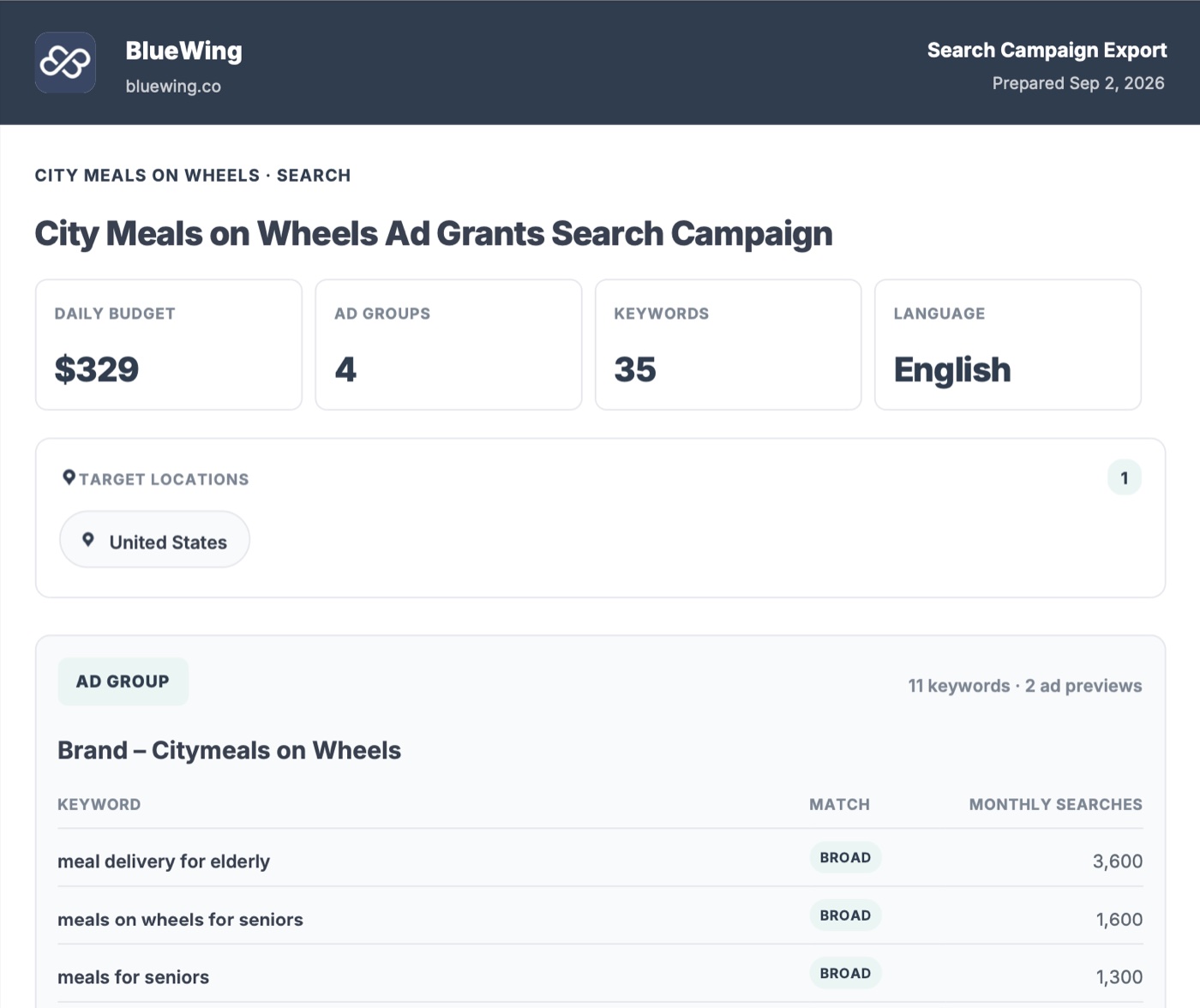
2. Exportable campaign previews
Shareable ad group previews showing target language, target location, target keywords, and ad creative, everything a client needs to sign off on a campaign or ad group before it goes live. This solves the approval loop that usually happens over three email threads and a screenshot. Send the preview, get approval, push live.
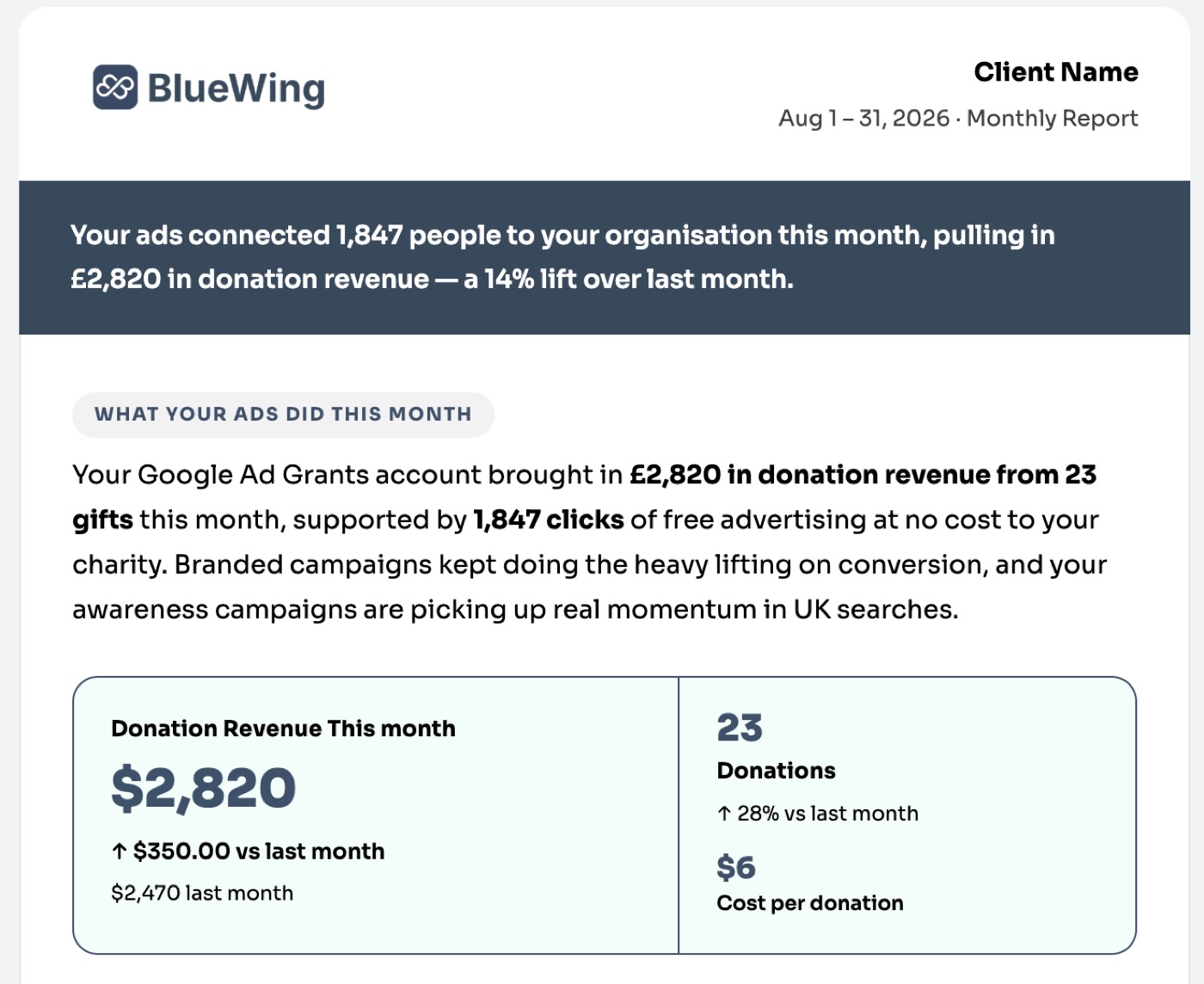
3. White-label email reporting
Automated, branded email reports that can go out weekly or monthly, written in plain English. They cover how many people are seeing the client’s ads, how many donations they’ve received, clicks and impressions, what’s working, and what to keep an eye on. You choose the frequency, the delivery day and time, and the recipient list, and the report goes out under your agency’s name, not ours.
Coming mid-September: the optimization engine
The piece we’re most excited about launches mid-September.
The optimization engine surfaces 50 different optimization points across your connected accounts and feeds them to you for approval. You review, you approve. Nothing changes without your sign-off. And once approved, the optimizations show up in your white-label email reporting, so your clients can see that you’re actively on top of their campaigns.
That last part matters more than it sounds. The hardest thing about Ad Grants retention isn’t performance, it’s demonstrating performance. When a client sees a specific list of what changed this month and why, the value of the retainer stops being an abstraction.
Get started
The agency platform is $99/month per connected client account. Connect your client roster, white-label everything, and hand the campaign builds and reporting to the platform so your team can spend its time on strategy.
If you manage Ad Grants for multiple nonprofits and want to see how this would work with your client roster, book a demo and we’ll walk you through it with your own accounts.
Frequently asked questions
How much does the Ad Grants Pilot agency platform cost?
The agency platform is $99/month per connected client account. Campaign builders, white-label reporting, and user roles are all included at that price, and there’s no long-term commitment.
Can I white-label Ad Grants Pilot for my clients?
Yes. All three reporting products (the live client dashboard, exportable campaign previews, and automated email reports) are branded to your agency. The client dashboard runs on your own domain, and email reports go out under your agency’s name rather than ours.
How many nonprofit clients can I manage in one account?
There’s no cap. Connect as many Google Ad Grants accounts as you manage. Each connected account is $99/month and gets its own Search and Performance Max campaign builders, assets, and reporting.
Does the platform publish campaigns without my approval?
No. Every campaign is created in Draft and stays there until a Publisher or Admin clicks Push Live. Junior staff and clients can be given the Campaign Builder role, which lets them build but not publish, or the read-only Viewer role.
Are the campaigns Google Ad Grants compliant?
Yes. Builds follow Ad Grants requirements and best practices by default rather than Google Ads defaults, using broad match keywords with validated search volume, a $329 daily budget, Maximize Conversions bidding, and conversion tracking configured through Google Tag Manager during onboarding.
When does the optimization engine launch?
Mid-September. It surfaces 50 optimization points across your connected accounts for your approval, and approved changes appear in your white-label client email reports.